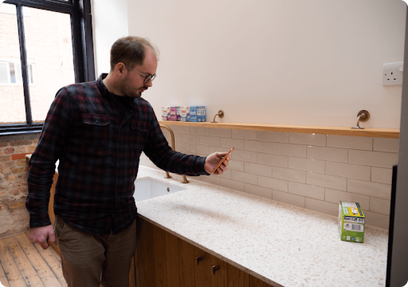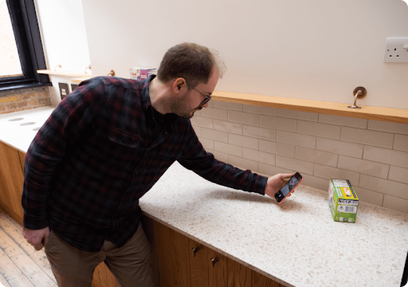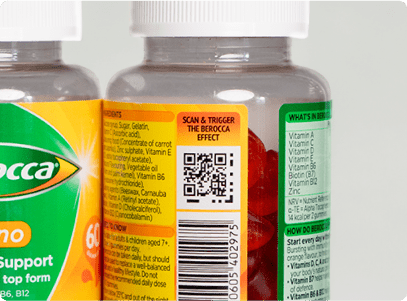
1. Look for an AQR
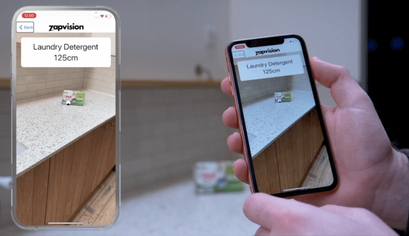
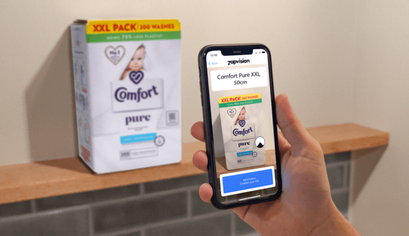
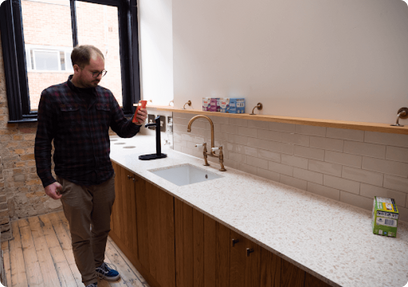
Open your chosen accessibility app’s camera function. Move the product around until the app has detected the Accessible QR code.
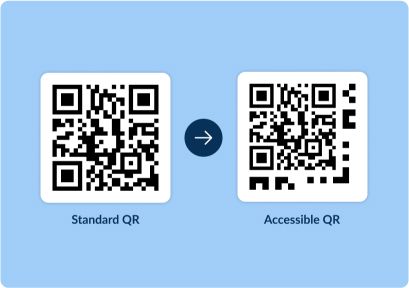
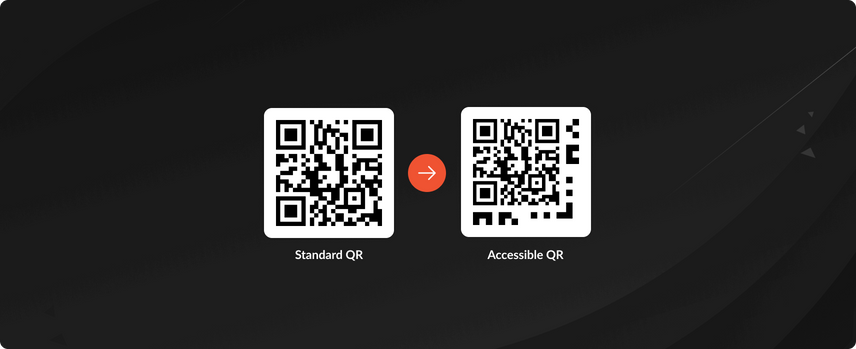
An Accessible QR (AQR) code combines a standard QR code with a dot-dash pattern positioned around one corner of the code. This enhanced design increases the detection and scanning distance, announcing all the information related to the product or signage using the device’s accessibility features (e.g. text-to-speech, larger fonts) for people who are blind or have low vision. The code maintains the original destination of the QR code for sighted users when scanned with a standard QR code reader or device camera.
Accessible QR codes have gained traction with businesses in consumer packaged goods (CPGs) who value the enhanced accessibility and compliance with upcoming global regulatory changes, all while removing the need to accommodate multiple code schemes in their packaging artwork or signage.
There are 315 million people around the world who are registered blind or have low vision. 9 in 10 of those people find it difficult to access crucial information on product packaging. The Royal National Institute of Blind People (RNIB) ‘What’s In Store’ campaign brings to life the challenges faced by the blind and low-vision community in everyday life and highlights the need for brands to make the right choice when it comes to accessibility. Our view at Zappar is that access to product information on packaging should be a basic human right. Full stop. We’re working hard with our AQR solution to make that a reality.
Accessible QR codes build on the widespread prominence and adoption of standard QR codes, offering brands a single-code solution with a dual advantage, connecting customers to their digital presence, while addressing the crucial challenge of making product information accessible to everyone, everywhere.
This singular code approach removes the need for brands to accommodate multiple code schemes on their packaging, freeing up valuable space while making product information like allergens, warnings, nutritional information, expiry dates as well as usage and recycling instructions available to the 315m+ people worldwide living with sight loss.
The subtle adaption of the QR codes means it maintains it's recognition for sighted users, allowing you to link to your webpage or AR campaign.
Unlocks enhanced distance detection, as well as important product packing information that would otherwise require human assistance to access.
Accessible QR codes work by placing a simple Dot-Dot-Dash pattern (D3), around one of the corners of a standard QR code. Placing the D3 pattern around the corner of a 15mm standard QR code means that Accessible QRs can be scanned at a distance of 1.10 metres (over 7x that of normal QR scanning) and deliver crucial product information related to that specific SKU at around 60cm (4x the distance of normal QR scanning).
Open your chosen accessibility app’s camera function. Move the product around until the app has detected the Accessible QR code.
At 115cm the app will announce the category of the product and its physical distance from the user through text-to-speech.
Move closer (around 60cm) and the app will announce relevant product information, including specific allergens, ingredients or even recipe suggestions.
With a small, almost unnoticeable change to packaging artwork, you can make a world of difference to hundreds of millions of people by implementing Accessible QR codes on your product packaging.
AQRs are a simple value add to your packaging, with no amends. An AQR code can be printed at 15mm, including the dots and dashes and does not require any new print method or additional cost from a production or manufacturing perspective.
AQRs are built upon the existing, widely adopted QR code, meaning you can easily integrate them into your current systems and processes as well as unlock all the benefits from the transition from UPC to QR and new GS1 Digital Link standards.
AQRs provide structured and reliable information which is paramount for guaranteeing people who are blind or partially sighted receive accurate and reliable product information, enhancing their independence and safety.
Accessible QR codes are already being adopted by some of the world's biggest multinationals, including Unilever, Bayer and Diageo amongst others. For Unilever alone, AQRs are already on 18 brands worldwide and will be on 250 million items by the start of 2024.
AQR codes were launched on Berocca® Immuno Gummies in the UK in Nov 2023.
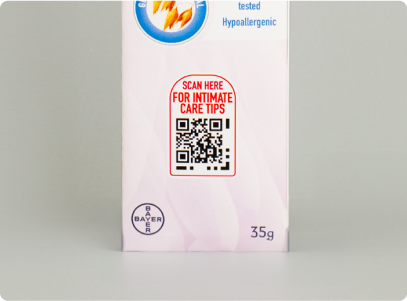
AQR codes were launched on Canescool Soothing Cream Gel in the UK in Oct 2023.
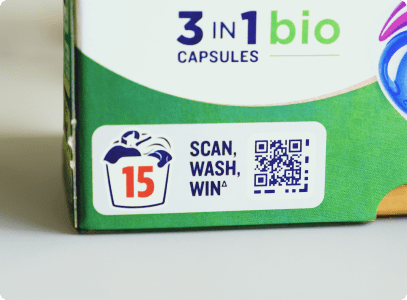
AQR codes were launched on Persil Bio, Non Bio and Colour Protect 32 Capsules in the UK in March 2023.
Accessible QR codes can be scanned by popular accessibility apps such as Microsoft Seeing AI, Envision and Be Me Eyes.
Microsoft SeeingAI is a free app that narrates the world around you by identifying people and objects.
The Envision App is a free smartphone app that articulates everyday visual information into speech.
Be My Eyes is a free mobile app that connects blind and low-vision individuals with sighted volunteers and companies.
Accessible QR codes are helping people who are blind or have low vision to access crucial product information on packaging, from product names and ingredients to recipe ideas and usage instructions.
Information |
Description |
|---|---|
Product names |
Audibly announcing the name of the product, allowing users to identify the exact SKU as they browse the shelves. |
Ingredients |
Providing a list of ingredients in the product, enabling users to be aware of any potential allergens or ingredients they want to avoid. |
Nutritional Information |
Providing the nutritional content, including calories, fats, proteins, carbohydrates, vitamins, and minerals, to help users make informed decisions. |
Usage Instructions |
Providing instructions for both how to open and access the product and also how to use the product, for example how many washing tablets needed for different washes or how to build an Ikea table. |
Storage Information |
Providing information on how to store the product, such as temperature requirements or specific handling instructions, helping users optimize the quality of the product. |
Safety Warnings |
Alerting users to any safety warnings or precautions associated with the product, preventing accidents or misuse. |
Brand and Manufacturer Information |
Sharing details about the brand, where product ingredients are sourced, the manufacturer, helping users understand brand story and the product they are buying. |
Contact Information |
Providing company contact details, like phone numbers, links and support hotlines enabling reach out for further inquiries or feedback. |
Environmental Impact |
Providing information about the product's environmental impact, such as recycling instructions or sustainability certifications. |
Competitions and Promotions |
Communicating any promotional offers and competitions available for users to enter and benefit from. |
To validate Accessible QRs, we commissioned the RNIB (Royal National Institute of the Blind) to conduct an expert assessment of the Zapvision SDK as well as consumer research with the community around the common use cases of product detection in-store and at home through individual user testing with people who are blind or have low vision. One of the key learnings from this research study was that although distance is helpful, ease of detection is more relevant and ultimately what’s key is how clear and well the information is structured and presented. We also learned that it was important to put the technology in apps already being used by the community as adding another app for this specific use case would create an additional and unnecessary step.
The data stored in AQRs is reliable, accurate and structured in a way to alert users to information that is particularly relevant to them (e.g. nut allergies, dietary requirements, usage instructions, choking hazards etc.)
The combination of product information and distance means that users who are blind or have low vision can easily find and safely use the products in their cupboards, or on supermarket shelves.
AQRs can be scanned by the most popular accessibility apps that the blind and low vision community already use in their everyday lives, including Microsoft SeeingAI, Envision and Be Me Eyes.
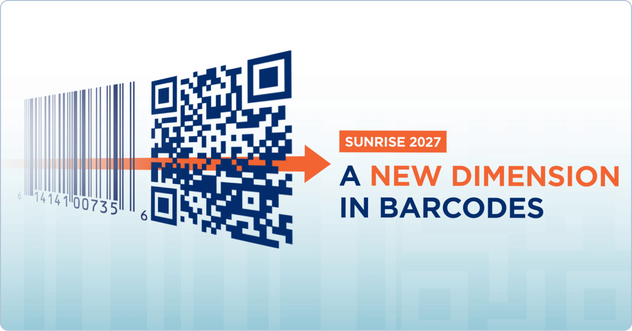
With the transition from UPC barcode to new GS1 Digital Link standards (as part of Sunrise 2027) and upcoming legislative change there’s both an opportunity and requirement to make your QR the one data carrier to meet all your supply chain, consumer and corporate needs. With one GS1 Digital Link Accessible QR code, brands and businesses can future-proof their packaging by aligning with global standards for product identification and information sharing, ensuring that product packaging is not only universally readable but also inclusive to individuals who are blind or have low vision.
Accessible QR codes have been designed to work with your existing infrastructure in mind, providing two unique experiences, one for people with blind or low vision and one for sighted users. To create an AQR code, all that is required initially is the exact URL that is encoded directly in the QR code that you want to direct your customers to. Beyond this, AQRs hold crucial product information like nutrition, allergens, primary market, recipe ideas etc, so make sure you speak to one of our experts about getting started with AQR using our Zapvision CMS.
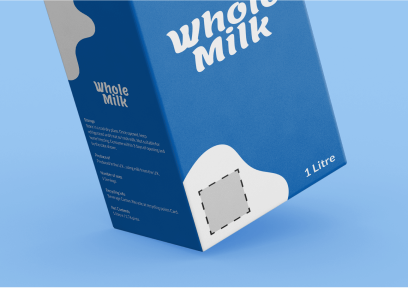
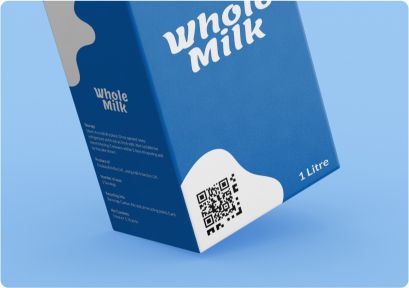
Get started with Accessible QR codes by first designing the front of your product packaging to include space for a small 15mm QR code.
Generate your AQR in the Zapvision CMS, add your product data and export. GS1 Digital links are encouraged to future proof your connected pack infrastructure.
You're now setup and ready to start thinking about the product information you want to share with the blind and low vision community using the Zapvision CMS.
Likewise, if you're a brand owner looking to implement an accessible QR solution, before you get started, you’ll want to think about the internal processes, procurement and governance commonly associated with any connected packaging or QR programs before an AQR touches your product packaging. Speak to us about creating these processes and systems.
We’ve built out a range of AQR resources to help brands, businesses and individuals understand more about these powerful more inclusive codes.
This guide will take you through the trends that have helped create Accessible QR codes and what you should do next if you’re a brand manager or business selling products to consumers to take advantage of this new reality.
Discover how AQR can help your business create a fully branded and inclusive consumer experience.
Learn the essentials of Accessible QR codes before you scale across different brands and geographies.
Learn more about what Accessible QR is and Unilever’s global roll out of AQR across different brands and markets.
Persil adds QR codes to packaging for visually impaired shoppers.
Accessible QR Code From Zappar Makes Packaging Talk To The Blind.
Persil rolls out accessible QR codes on its packaging.
Unilever has improved on-pack accessibility by adding a new enhanced QR code to its packaging.
Bayer Consumer Health UK works with Zappar to launch first accessible QR code in healthcare space.
Accessible QR is now available on packs of Persil laundry detergent products across the UK.
A standard QR code is a machine-readable code used for storing information accessible via a QR scanner. An Accessible QR code includes additional dots and dashes around one corner of the QR code, making it identifiable from greater distances by specific apps used by people who are blind or have low vision, and delivering all the product information using the device accessibility features (text-to-speech, larger font sizes etc). We encode the product category information in the dots and dashes surrounding the QR code so that this can be announced from a distance. This element also allows us to detect and decode the QR code in the camera view from much further away than normal scanning on a device so that at 4 times the distance we can deliver the product name and all the associated information to the user. A single AQR can therefore provide information to everyone whatever their visual acuity.
An Accessible QR code can be scanned by a Zapvision-enabled app from significantly greater distances compared to standard QR codes. The exact distance varies depending on the code size. The recommended size of an AQR on product packaging is 15mm. At a distance of 1.10 metres, AQRs will announce the category of the product and its physical distance from the user through text-to-speech and at around 60cm a Zapvision-enabled app will announce relevant product information, including specific allergens, ingredients or even recipe suggestions. By comparison, a 15mm QR code can normally be scanned at around 15cm by a modern smartphone. So AQRs increase the distance and ease of scanning significantly.
AQRs and the structure of the Zapvision CMS have been specifically designed to provide all the information that appears on product packaging presented in a structured way that’s relevant to people who are blind or have low vision. This includes information like opening and usage instructions, ingredients, allergens, dietary preferences, and all on-pack information. Our implementation interacts with the device’s configured accessibility features, displaying information in larger text or audio-described and voice-guided etc.
To create an Accessible QR code, you'll need to use the Zapvision CMS. Get [in touch](https://www.notion.so/Accessible-QR-web-page-Zappar-com-8e7cbbd93a4c42e6aac422abedbe70e2?pvs=21) if you like to speak to us about incorporating AQRs on your product packaging.
Apps equipped with the Zapvision SDK like Microsoft SeeingAI, Be My Eyes and Envision can recognize and interact with Accessible QR codes. These apps are designed to utilize smartphone accessibility features, providing voice-over and other assistance for visually impaired users.
Accessible QR codes have been designed specifically to tackle the issue of accessibility to information on product packaging for users who are blind or have low vision. We appreciate that there is a lot more that can and is being done around broader accessibility and inclusivity in product packaging for the broader community. While they align with the principles of the Americans with Disabilities Act (ADA) by enhancing accessibility, specific compliance may depend on how they are implemented and used.
Yes. Accessible QR codes can be GS1 compliant if they adhere to the GS1 standards for encoding data. This ensures they are compatible with global supply chain and retail systems, enabling broader use and acceptance.
The Royal National Institute of Blind People (RNIB) has been involved in validating and assessing Accessible QR code solutions, ensuring they meet the needs of people who are blind or have low vision effectively through research commissioned by Zappar. Research is ongoing and there are always improvements to be made and learnings to be gained from the community.
Accessible QR codes greatly enhance the independence and accessibility of information for people who are blind or have low vision. They allow the community to access product information, instructions, and other content easily through assistive technology, breaking down barriers to information access. They help overcome what is currently a daily challenge for 100s of millions of people around the world.
This will depend on your product packaging but ideally, we would recommend that Accessible QR codes should be placed prominently on the packaging, ideally on the front and/or back, where it's easily scannable. The placement should be consistent and intuitive, ensuring visibility and ease of access for all users, including those who are blind or have low vision. That said, if there are other brand reasons why the code cannot appear in a prominent position it is still best to have an AQR on pack rather than not at all. At Zappar we’ve worked with businesses for a decade gathering data and insights on code scanning on pack. If you’d like more information on this topic please do contact us.