
.png?width=800&name=MultiSet%20(6).png)
Hey there 👋
If you’ve been following the evolution of immersive 3D experiences on the web, you’ll know there’s a huge difference between an AR effect that floats somewhere vaguely near you and an experience that actually understands the world around you. That second category is where things get really interesting.
It’s also where things usually get complicated.
So today I’m delighted to share something we’ve been working on behind the scenes: Mattercraft now integrates MultiSet’s enterprise-grade Visual Positioning System (VPS). It sits right alongside our Immersal integration, giving creators and enterprises more flexibility when building precise, privacy-first 3D experiences that work across floors, corridors, warehouses, retail spaces, campus environments, and everything in between.
Like Immersal, MultiSet unlocks real-world awareness directly in the browser. No downloads. No app store approvals. No drama.
Let’s dig in.
Why MultiSet matters for spatial content
MultiSet brings a powerful set of capabilities to creators building real-world spatial experiences in Mattercraft. It supports scan-agnostic mapping, robust localisation, navigation meshes for multi-room or multi-floor routing, and flexible hosting options that suit a wide range of enterprise requirements.
It’s a great complement to our existing Immersal integration. With both available side by side, creators can now choose the workflow and feature set that best fits their environment, whether that’s large outdoor spaces, intricate indoor layouts, or deployments where data ownership and hosting flexibility are key priorities.
Here are a few standout capabilities of MultiSet:
- Sub-10 cm accuracy with resilient 6-DoF tracking
- Enterprise-friendly hosting (cloud, private cloud, on-prem, or even on-device)
- MapSet stitching for huge environments
- Object tracking (coming soon) for anchoring content to real-world products
In other words, it’s not just location. It’s spatial intelligence.
And when you pair that with Mattercraft’s visual 3D editor, timeline system, physics, scripting, and Live Preview, you suddenly have an incredibly approachable way to design advanced spatial experiences that would normally take a full engineering team to build.
Building with MultiSet in Mattercraft
We’ve made the workflow as smooth as possible. If you’ve tried our Immersal templates before, you’ll feel right at home.
Here’s the basic flow:
-
Create your MultiSet map using LiDAR or any supported scan format (E57, Matterport, NavVis, Leica, XGrid and more).
-
Grab your client ID, secret, and map code from the MultiSet developer portal.
-
Open the new MultiSet template in Mattercraft, paste in your creds, and watch the 3D preview of your environment appear right in the editor.
-
Drop your content into the MultiSet Anchor Group and it’ll lock to its real-world position at runtime.
-
Add navigation meshes, breadcrumbs, triggers, or multi-floor connections to create full wayfinding experiences.
There’s no special build step, no native pipeline, and no expensive hardware required. Your users access everything via a link or QR code.
Indoor wayfinding, multi-level routing, and real-world logic
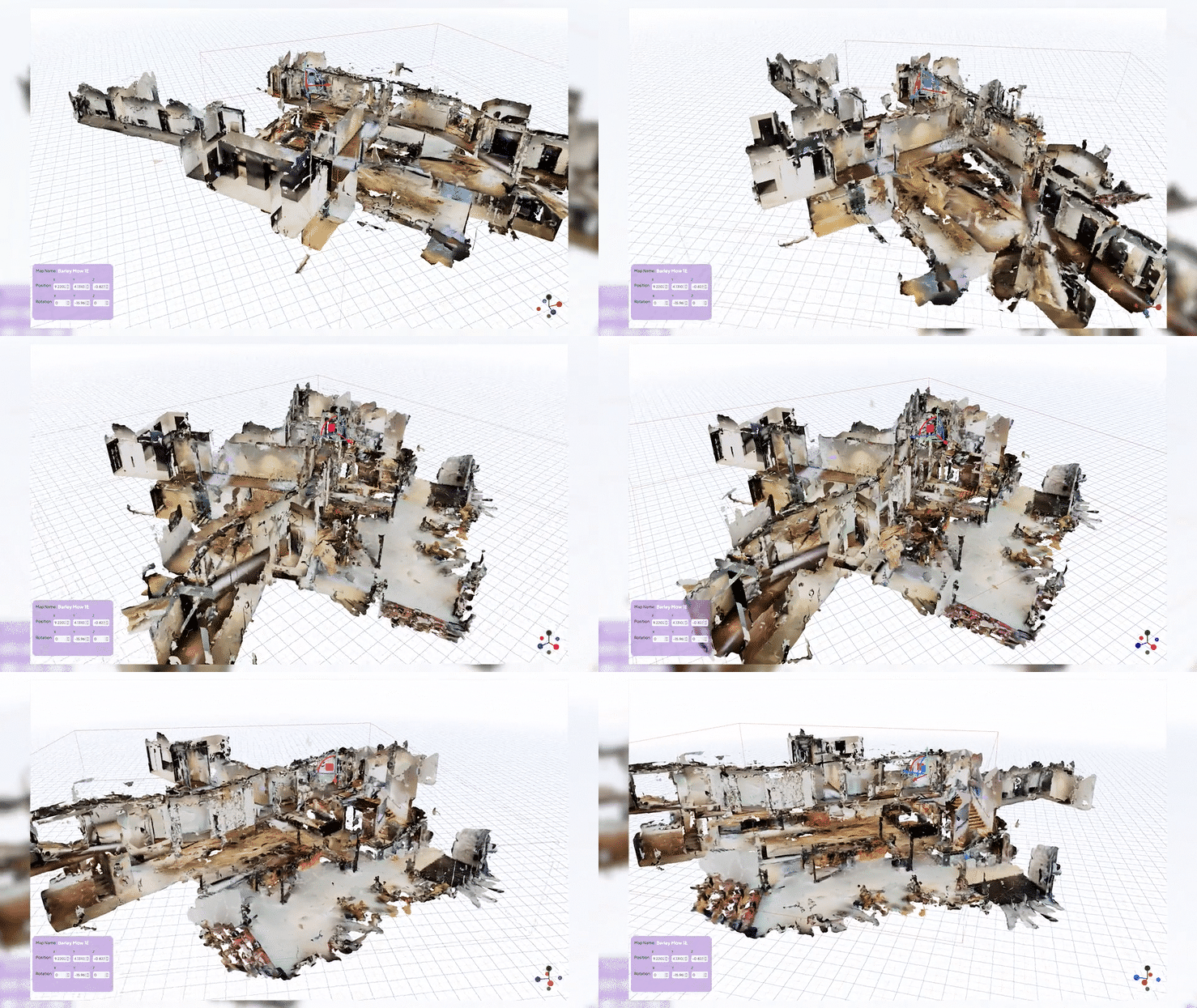
One of the things I’m most excited about is how seamless it now is to build navigation experiences in Mattercraft.
Using MultiSet’s NavMesh and Mattercraft’s navigation components, you can:
- Generate walkable areas directly from your scanned environment
- Add connectors for doors and corridors
- Build elevator links for multi-floor maps
- Visualise routes with breadcrumbs or custom meshes
- Trigger events when users reach points of interest
It’s the kind of tooling that used to require custom engines and proprietary pipelines. Now it runs in a browser tab.
Data ownership and enterprise flexibility
This is a big one. A lot of VPS solutions require your maps to be hosted by the provider. That’s fine for prototyping, but not ideal if you’re dealing with sensitive enterprise spaces, factories, retail layouts, or robotics workflows.
Like with Immersal, MultiSet’s hybrid deployment options mean:
- You own your maps
- You decide where they’re stored
- You decide how they’re accessed
- You can deploy entirely offline if needed
When you combine that with Mattercraft’s own self-hosting and Zapworks' enterprise deployment options, you get a spatial content pipeline that fits into existing IT and security frameworks rather than fighting against them.
What you can build with it
We’ve already seen some fantastic use cases emerging during testing:
- Office and campus wayfinding with multi-floor routing
- Retail overlays tied precisely to real shelving and signage
- Factory training and maintenance guidance with POIs and contextual instructions
- Museum tours where content follows you naturally through space
- Warehouse picking and spatial task guidance
And of course, you can still build simpler location-based overlays, games, or art installations. The tech doesn’t box you in.
Templates, tutorials, documentation (+ a launch webinar)
To help you get started immediately, we’ve shipped in-depth docs, a purpose-built template and a YouTube tutorial so you can get to grips with the integration.
We also hosted a launch webinar with Chris Holton and Nikhil Sawlani, where we showed live demos, map workflows, navmesh setup, and Q&A. You can watch the full replay below.
The bottom line
The Mattercraft + MultiSet integration brings real-world precision, enterprise-grade flexibility, and a friendly developer workflow into a single web-based toolkit.
Whether you’re building navigation for a museum, spatial instructions for a factory floor, or a playful branded activation in a retail environment, you can now design, test, and deploy everything right in the browser with centimetre-level accuracy.
I’m genuinely excited to see what you’ll create with it.
Jump in, try it out, and let us know what you’re building over on Discord — we’re always watching 👀
 Connell Gauld
CTO & Co-Founder